Apps that
reach users
and deliver
results.

Apps that reach users
and deliver results.

Our Live Apps

Owly: AI study & flashcards

CountX: countdown & reminders

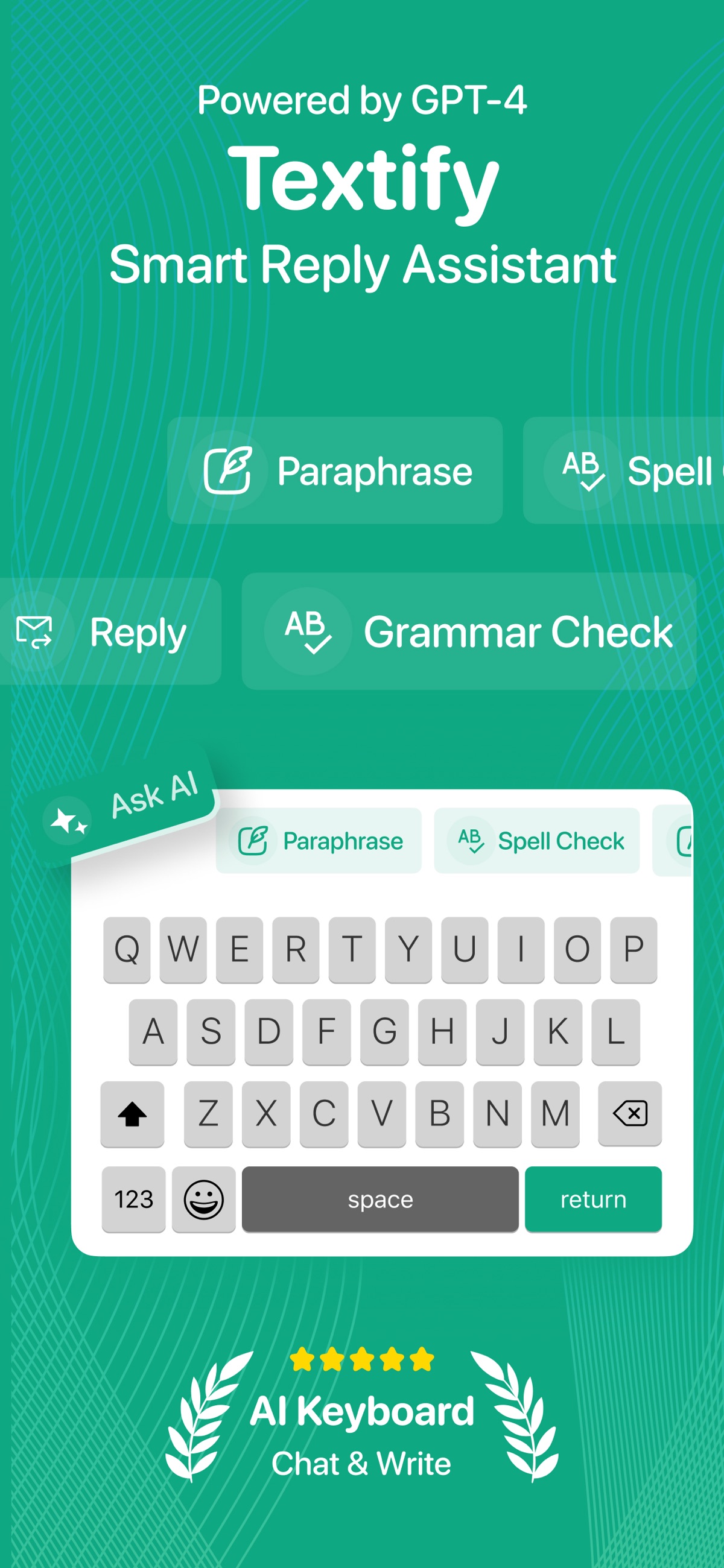
Textify: smart reply assistant

AI cleaner: photo delete swipe

Apps that Solve, Scale and Simplify

AI Cleaner

Cleaner App

(93 Reviews)

One Tap to a Faster iPhone

A simple yet powerful cleaner app that removes cache, junk files, and background clutter. Designed for peak performance, it helps users free up space and keep their device running like new.

Downloads
0 +
Reviews
0
Users Worldwide
0 K

How Cleaner App Keeps Your iPhone Fast

Smart, Silent, Always Working

Scan
Clean
Optimize

Every Issue Starts With Detection

The first step to a clean, high-performing device is knowing what’s slowing it down. Cleaner App starts by running a deep, intelligent scan of your iPhone’s storage system. But it’s not just counting how many photos or videos you have—it goes much further.

It scans cached files left by apps you haven’t opened in weeks. It flags temporary files that were supposed to disappear after an update but never did. It checks system storage, app data, media duplication, and residual junk left behind by uninstalled apps. It even looks into iMessage attachments, large videos, and cluttered folders that are quietly filling up your storage.

One Tap. No Stress. Everything Sorted.

Once Cleaner App identifies what’s unnecessary, it’s time to take action. With one tap, it begins removing redundant data that’s eating up space and hurting performance. But don’t worry—it’s not deleting your important photos or files. It knows the difference.

The cleaning engine is built with multiple safety layers. It prioritizes cache files, temporary install logs, failed download data, and media duplicates that serve no ongoing function. It also finds low-res video previews, offline web content, and hidden files that take up space without adding value

Beyond Cleaning—Smart Maintenance That Lasts

Cleaning is important, but true performance comes from staying optimized long-term. That’s why Cleaner App doesn’t stop after a single tap. It continues working in the background to monitor and maintain your phone’s health.

It tracks memory usage patterns, battery drain sources, and background apps that may be hogging resources. Based on your behavior, it recommends when to run another clean-up, disable unnecessary processes, or delete outdated app data.

Owly

Owly App

(45 Reviews)

Learn the Way You Scroll

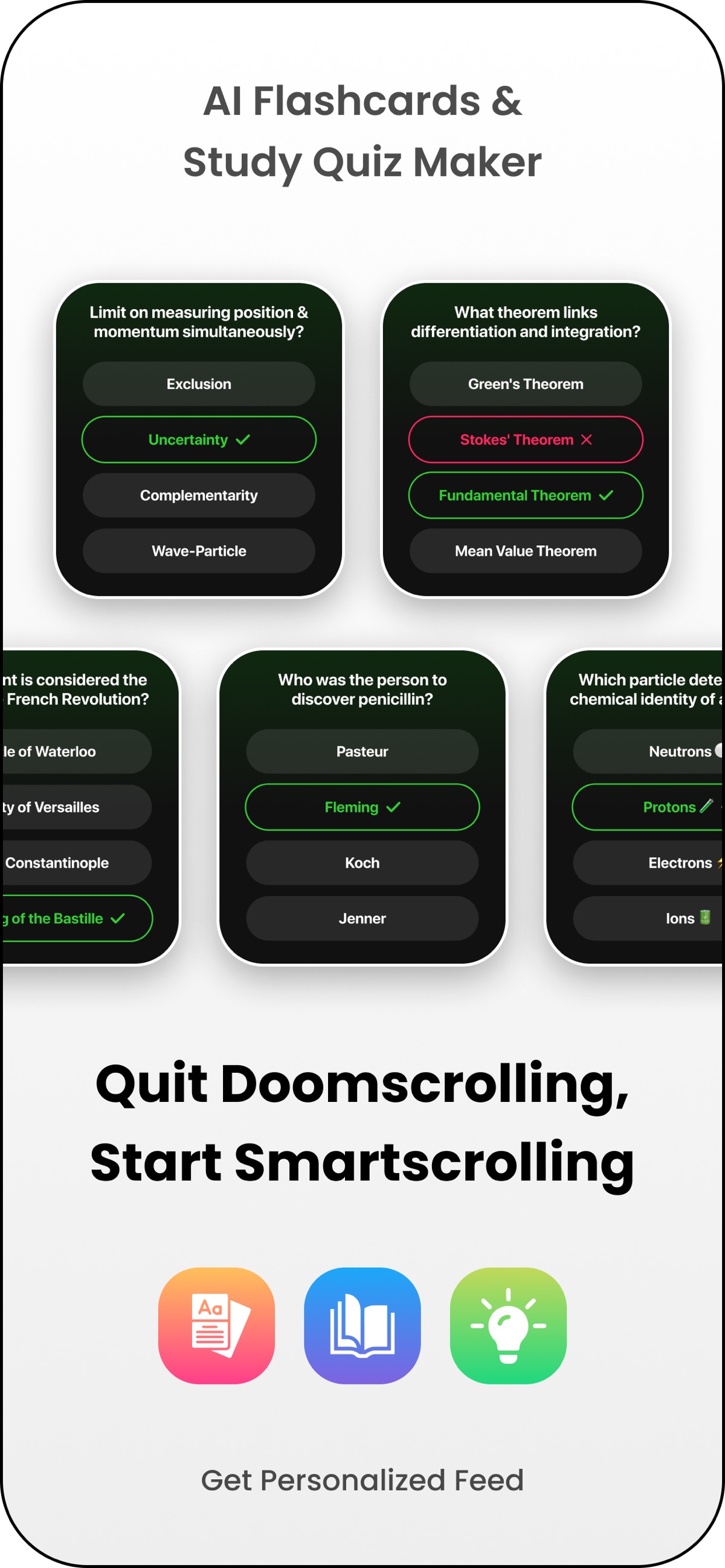
Owly is an AI-powered study app that transforms your notes into interactive learning, fast. Upload PDFs, images, or screenshots, and Owly turns them into smart questions that feel as engaging as your favorite social feeds. Less effort. Better focus. Stronger retention.

Downloads
0 +
Reviews
0
Users Worldwide
0 K

How Owly App Works

Simple. Smart. Fast.

Upload
Generate
Study

Getting started with Owly is effortless. Upload your PDFs, handwritten notes, screenshots, or images directly from your device, no scanning apps, no manual formatting, no cleanup required. Whether it’s lecture slides, textbook pages, class notes, or quick snapshots from your phone, Owly handles it all.

The app is built to understand real student content, even if it’s messy or unstructured. You don’t need to reorganize your notes or rewrite anything. Just upload, and Owly takes care of the rest, saving you time and letting you focus on learning instead of preparation.

Once your content is uploaded, Owly’s AI gets to work. It reads, understands, and breaks down your material into meaningful questions designed to test real understanding, not just memorization.
You can choose how you want to learn. Go for multiple-choice questions when you want quick checks. Switch to free-response when you want to think deeper. Use flashcards for fast revision sessions. You’re also in control of difficulty, easy for first-time review, medium for practice, or hard when you want to challenge yourself before exams.
Every question is editable, so you can tweak wording, remove distractions, or refine answers to match your learning style.

Owly turns studying into an active experience. Instead of flipping pages or rereading notes, you learn through a clean, scrollable feed that keeps you focused and moving forward. Questions flow naturally, helping you stay engaged without feeling overwhelmed.
Save important questions to your personal library, organize them into sets, or make them public to share with classmates. Hide questions you’ve mastered, revisit weak areas anytime, and track your progress as you go.
Whether you’re doing quick daily reviews, exam prep, or last-minute revision, Owly helps you study smarter, retain more, and feel confident going in.

Events Countdown

Counter iOS App

(98 Reviews)

Plan Every Moment with Precision

A clean, minimal countdown app to track events, launches, and milestones. With smooth animations and real-time updates, it keeps users focused on what’s next, without the clutter.

Downloads
0 +
Reviews
0 +
Users Worldwide
0 k

A clean, minimal countdown app to track events, launches, and milestones. With smooth animations and real-time updates, it keeps users focused on what’s next, without the clutter.

How Countdown App Works

Plan Ahead, Stress-Free

Create
Track
Personalize

Start by setting up any event you want to keep an eye on, whether it's a big launch, an upcoming vacation, an exam date, or someone's birthday. The app lets you enter a custom event name, pick the exact date and time, and choose a unique icon to represent it. It’s designed to be quick, intuitive, and easy to update later. No fluff, no friction, just a fast way to create meaningful countdowns that stay out of your way until you need them.

Once your event is saved, Countdown takes over. It displays the time remaining in days, hours, minutes,or even seconds, depending on how close the date is. The live progress bar keeps you visually connected to each event without needing to dive into calendars or reminders. You can sort and prioritize countdowns, and even receive gentle notifications when a key milestone is approaching. It’s the simplest way to stay on top of deadlines and keep excitement building.

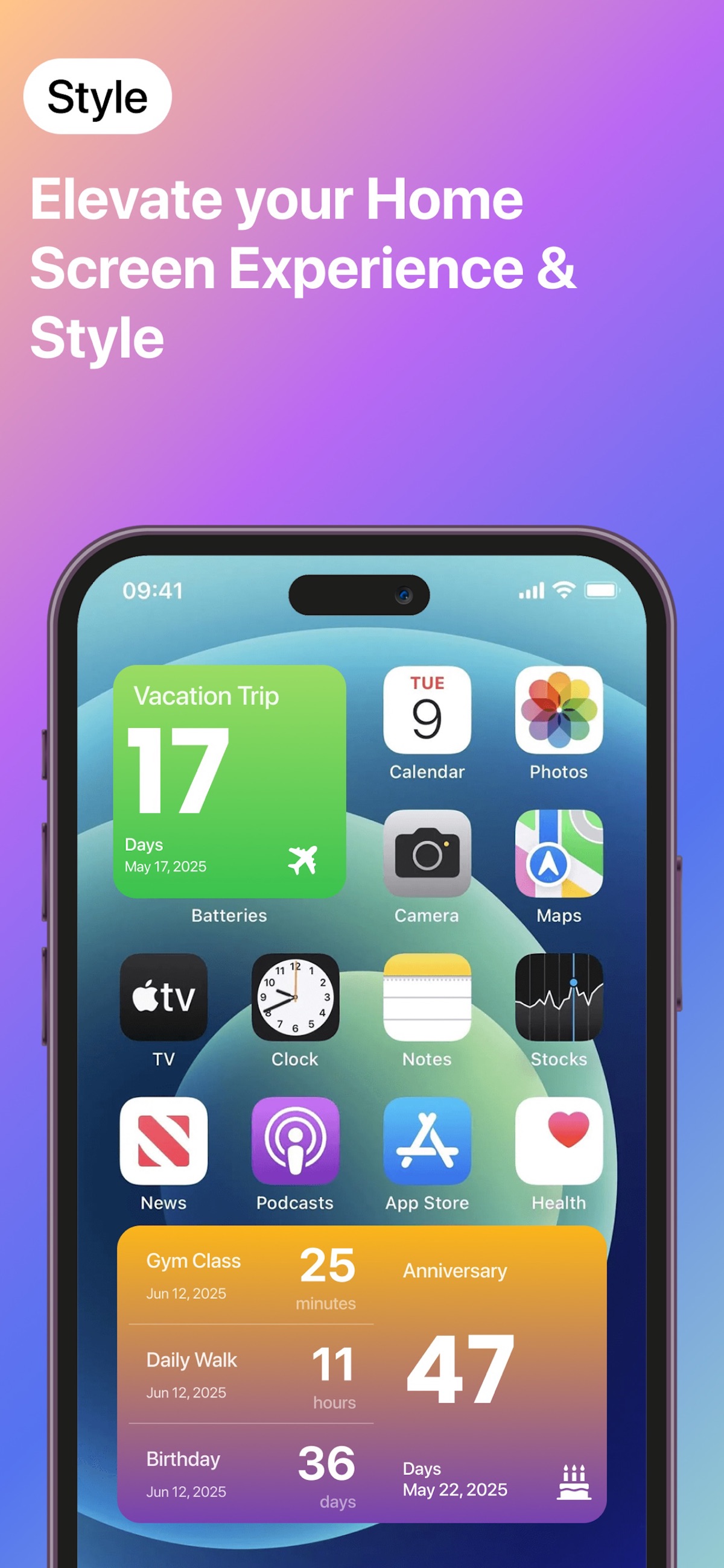
Your countdowns should look how you want. Choose from multiple themes, background colors, or minimalist display modes to match your vibe. Want your launch date widget front and center on your home screen? Done. Prefer a clean look with just numbers and no distractions? That’s available too. Countdown supports full widget integration so you can glance at your most important timers without unlocking your phone. It’s functional, sleek, and quietly motivating.

AI Keyboard

(110 Reviews)

Smarter Typing Conversations

This AI-powered keyboard learns from user behavior to deliver fast, predictive typing. From auto-suggestions to multilingual support, it’s built for speed, accuracy, and personalization.

Downloads
0 +
Reviews
0 +
Users Worldwide
0 k

AI Keyboard

How AI Keyboard Works

Smarter Typing Starts Here

Learn
Predict
Adapt

From the moment you start typing, AI Keyboard begins observing how you write, your tone, your speed, your word choices, and even how often you backspace. It builds a personalized typing profile in the background, allowing the system to fine-tune itself to your unique habits over time.

It pays attention to the words you use frequently, how you construct sentences, your typical pace, and even the times you tend to switch between languages. Are you someone who types short, fast messages peppered with emojis? Or are you a long-form texter who leans on punctuation and clear structure? The keyboard learns that.

AI anticipates what you’re about to type, offering context-aware suggestions, auto-corrections, and phrase completions.
It doesn’t just fix typos, it prevents them. It notices if you're always misspelling the same words and corrects them even before you finish typing. If you’re switching between English and another language, the prediction engine adjusts mid-sentence, without needing manual toggles.
Over time, you’ll find that you’re typing less and expressing more. That’s not by chance. That’s the AI doing its job, reading between the lines and helping you get to the point faster, without ever rushing you.

Got a new job and typing more work-related phrases? The system will recognize the change and begin offering more professional suggestions. Switch to writing captions for social media? You’ll see more informal structures, hashtags, and emoji combos.

And it doesn’t stop at language. The keyboard adapts to your layout preferences, preferred themes, and even how your fingers move across the screen. It can suggest layout tweaks for better comfort or faster typing based on how you hold your phone.

Fast App Launches

Cross-Platform Builds

Clean Custom Code

Built for Speed,
Backed by Logic

Scalable Architecture Design

User-Centric UI

End-to-End Support

Core Features

What Powers Every
App We Build

Performance-First Architecture

Cross-Platform Development

Scalable Code Structure

Clean, Intuitive UI

Secure Data Handling

Offline Functionality

Push Notifications

API Integrations

App Store Optimization

Testimonial

Insights from
Satisfied Customers

Built for performance, designed for scale.

Powerful Features at
Your Fingertips

Every app we build solves a real problem. From smart productivity tools to performance boosters, our products reflect the clarity, speed, and care we bring to every project.

© 2026 All Right Reserved | Developed by Khushi-DOC Infotech